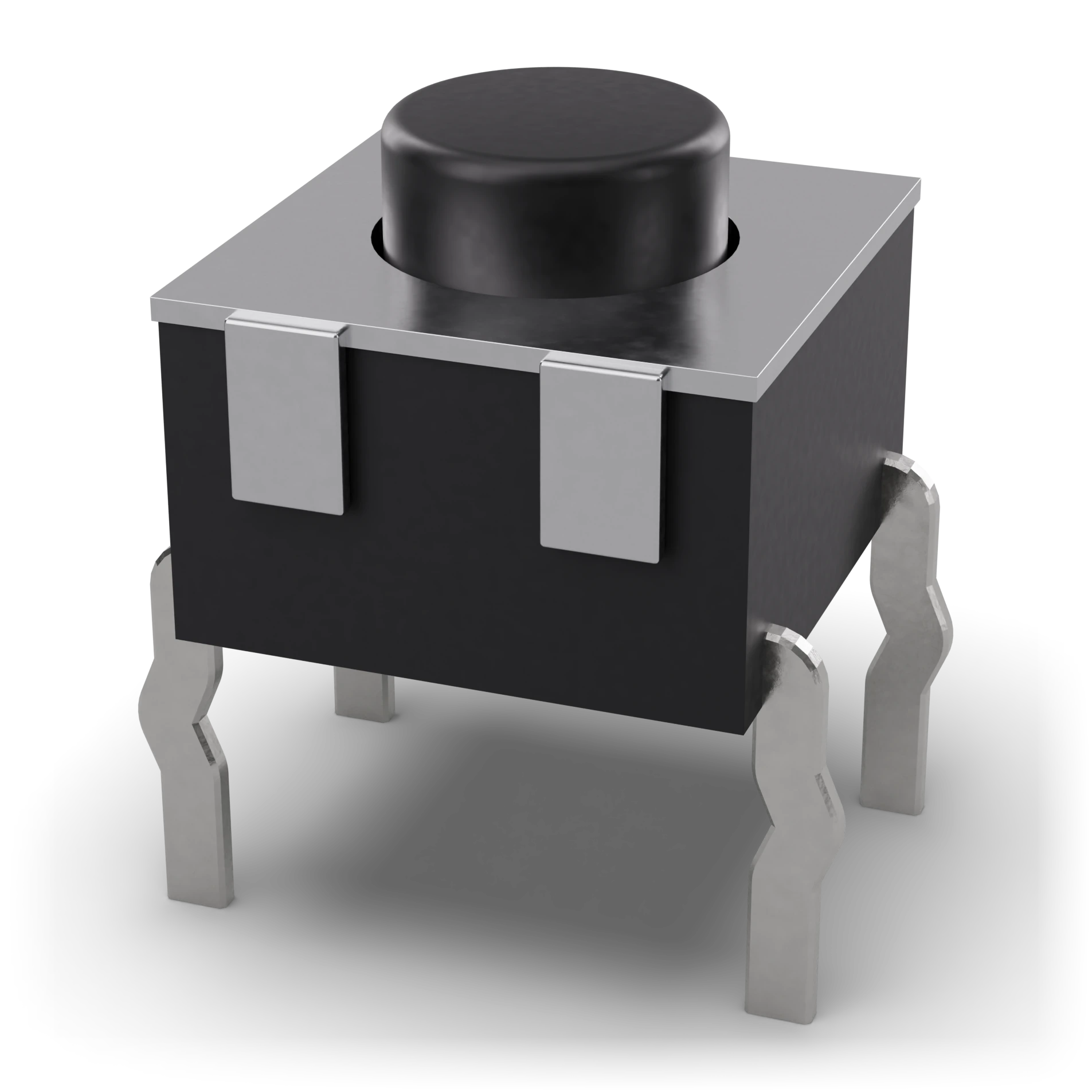
Plunger (plastic) · 0.25 mm strokeMetal coverBodyPins (1-2 and 3-4 connected inside)
- 1Plunger (plastic) · 0.25 mm stroke
- 2Metal cover
- 3Body
- 4Pins (1-2 and 3-4 connected inside)
Black square body, metal frame, round pressing head in the middle, four legs
6 × 6 mm body, lead spacing 6.5 × 4.5 mm
6 × 6 mm body, lead spacing 6.5 × 4.5 mm
Button
In simple terms
What is this?
A small gate that closes while pressed and opens when released.
What is it for?
Runs the circuit only while you press it; used for reset or to light an LED.
Where do you see it?
Remote control keys, doorbells and the reset button of a computer.
How do you spot it?
A small square button with four pins and a pressable head on top.
Caution:
The pins are connected internally in pairs; use the right pair, or it may stay closed all the time.
Technical definition
A momentary switch connecting two ends when pressed, opening when released. A 6 × 6 mm tactile button has four pins, internally paired. Place it across the breadboard’s center gap.
Size6 × 6 mm
TypeNO (normally open)
Value50 mA, 12 V DC
Schematic symbol IEC and ANSI differ
IEC 60617: the drawing style used in Türkiye and Europe.
Pins 3
1Pins 1 and 2Permanently connected inside (side A)A
2Pins 3 and 4Permanently connected inside (side B)B
3Diagonal legsAlways switched with a button; use these if you are not sureX
Features typical
- Type
- SPST, normally open
- Contact rating
- 50 mA, 12 V DC
- Contact tab
- A few ms
- Size
- 6 × 6 mm
- On a breadboard
- Over the center channel
- Example part
- 6 × 6 mm tactile button
Common mistakes
Using the wrong pair of pinsPins on the same side may already connect; then the button changes nothing. Use diagonal pins.
Leaving the input floatingIf the input is left floating while the button is open, it reads randomly. Add a pull-up or pull-down resistor such as 10 kΩ.
Forgetting the tabContacts bounce for a few ms, appearing as multiple presses. Remove bounce with software or an RC filter.
Test with a multimeter
Test whether this part is good with the multimeter on the measurement screen.
Take a measurementWhere it is used
Microcontroller inputReset buttonPress-to-light LED experiment555 trigger
Related lessons